Step 1: Once you are logged into LendingPad, go to "Settings".
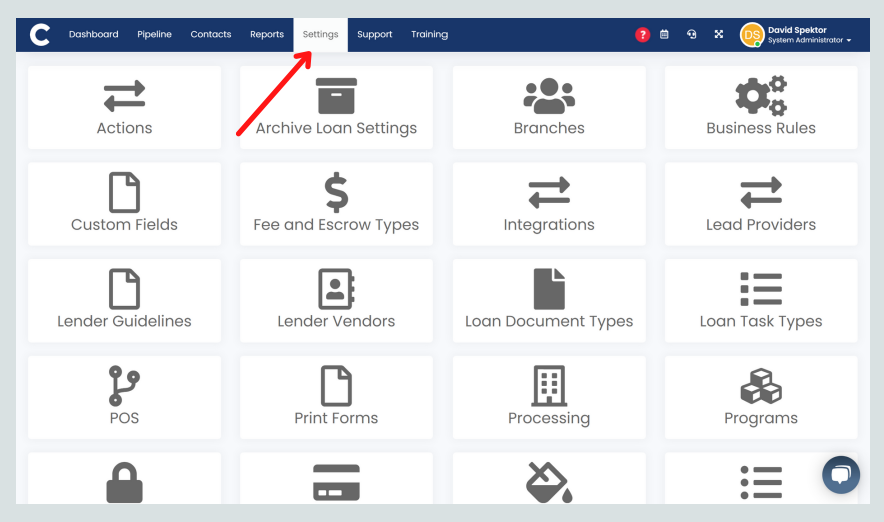
Step 2: Go to "Integrations".

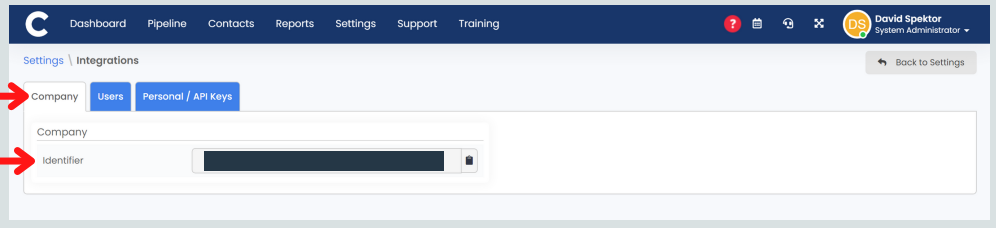
Step 3: Company Identifier will be under the "Company" tab. (We DO NOT need Users identifiers.)

Step 1: Once you are logged into LendingPad, go to "Settings".
Step 2: Go to "Integrations".
Step 3: Company Identifier will be under the "Company" tab. (We DO NOT need Users identifiers.)